

Worklog · 2001
Syrinix
The first full casemod, built in 2001: watercooling, lighting and visual enhancements in a Juno P3 case.
- CPU
- AMD XP1800
- Motherboard
- EpoX 8K7A+
- Videocard
- GeForce 3 64 MB
- Case type
- Modified Juno P3
- Purpose
- Gaming machine
- Year
- 2001
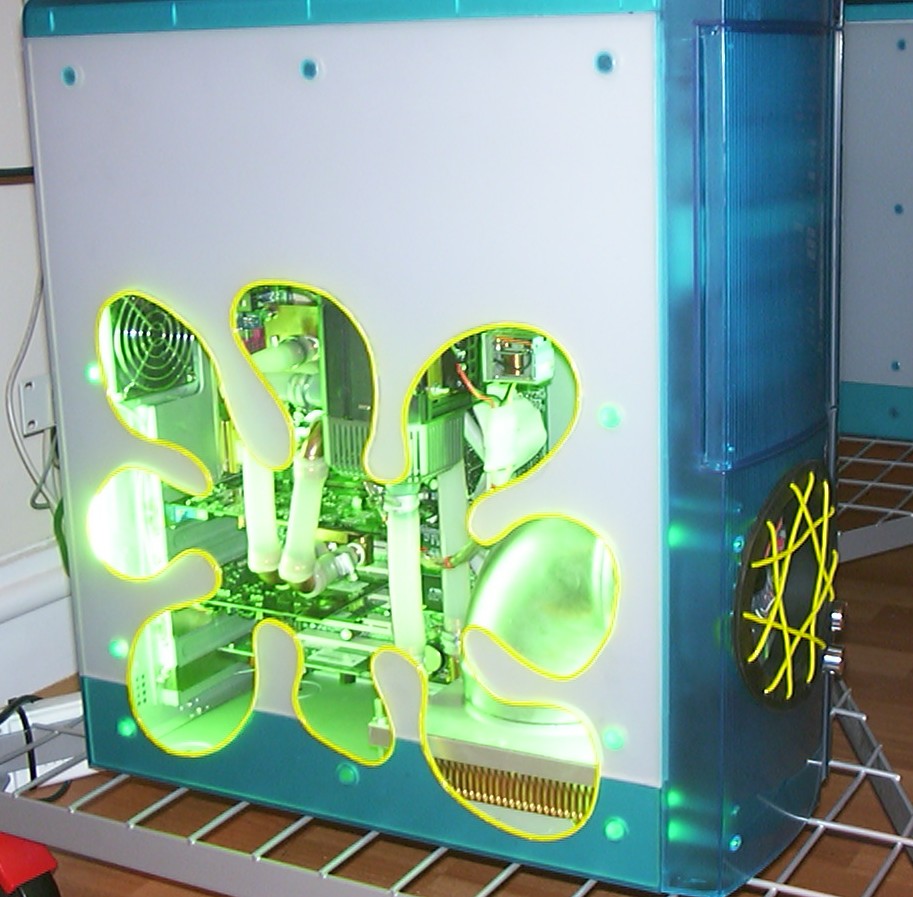
The pictures for this worklog were long forgotten when I stumbled across them during a HDD cleanup recently. They were originally used for the second worklog ever to be posted online on a forum. Now, three years later the originals will come to use again in this remastered version of that worklog.
Let me present Project Syrinix, my first full casemod built back in 2001.
Part 2
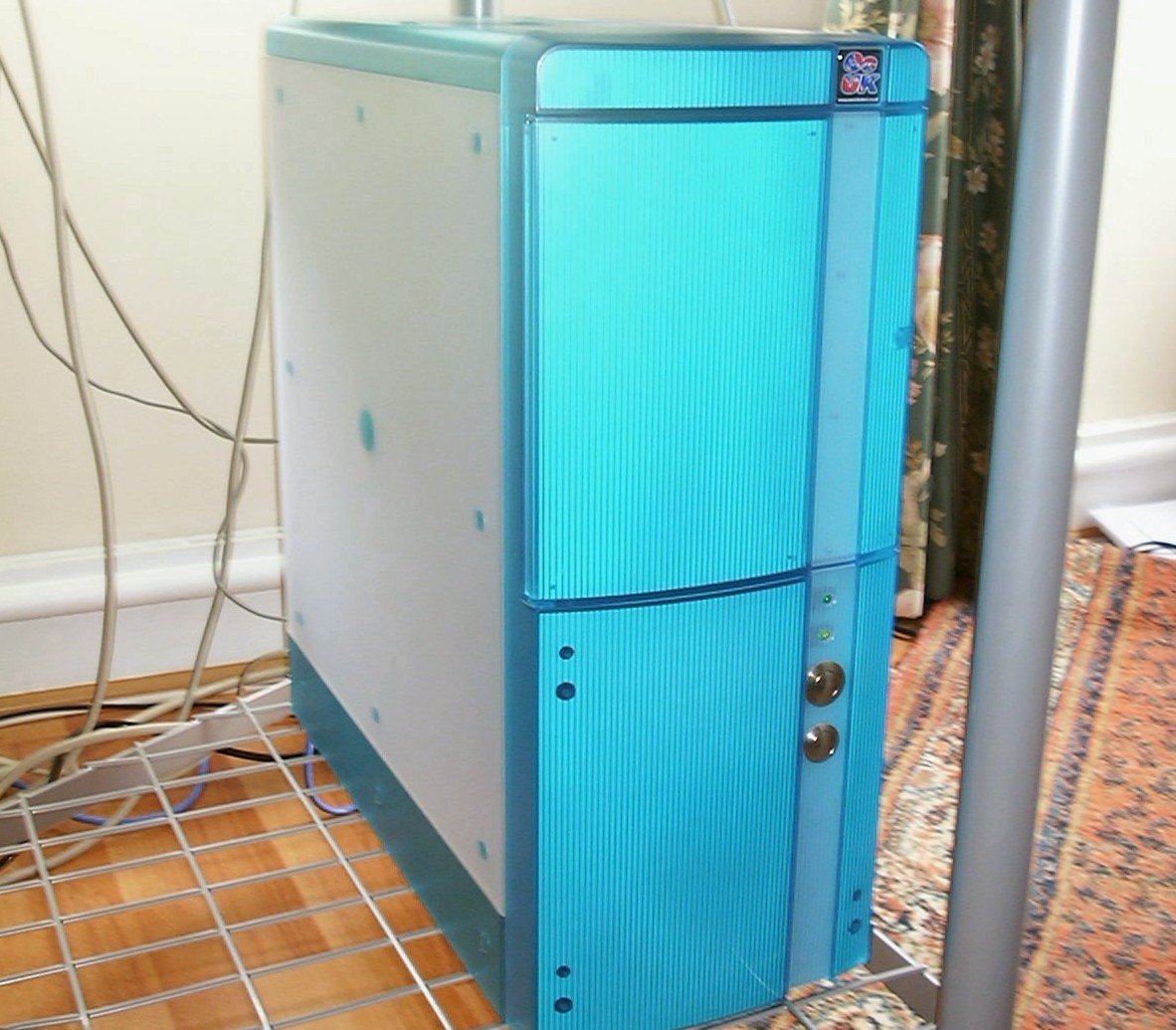
This is the canvas, a slightly modded Juno p3 case. Before the first picture was taken the power and reset button was replaced with vandal resistant switches.
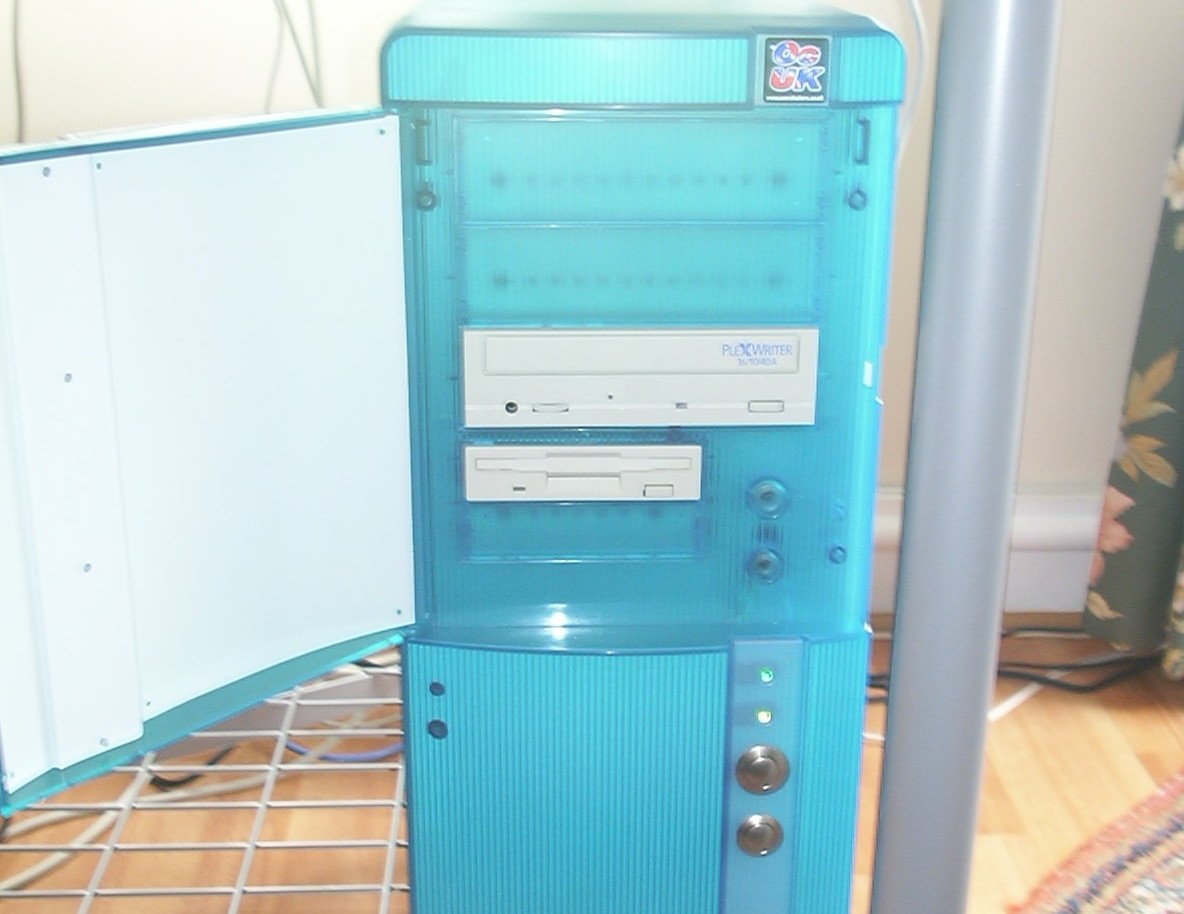
Beige drives, not very suitable at all with the half transparent look the rest of the case has. You can also see the original power and reset button that was behind the door.
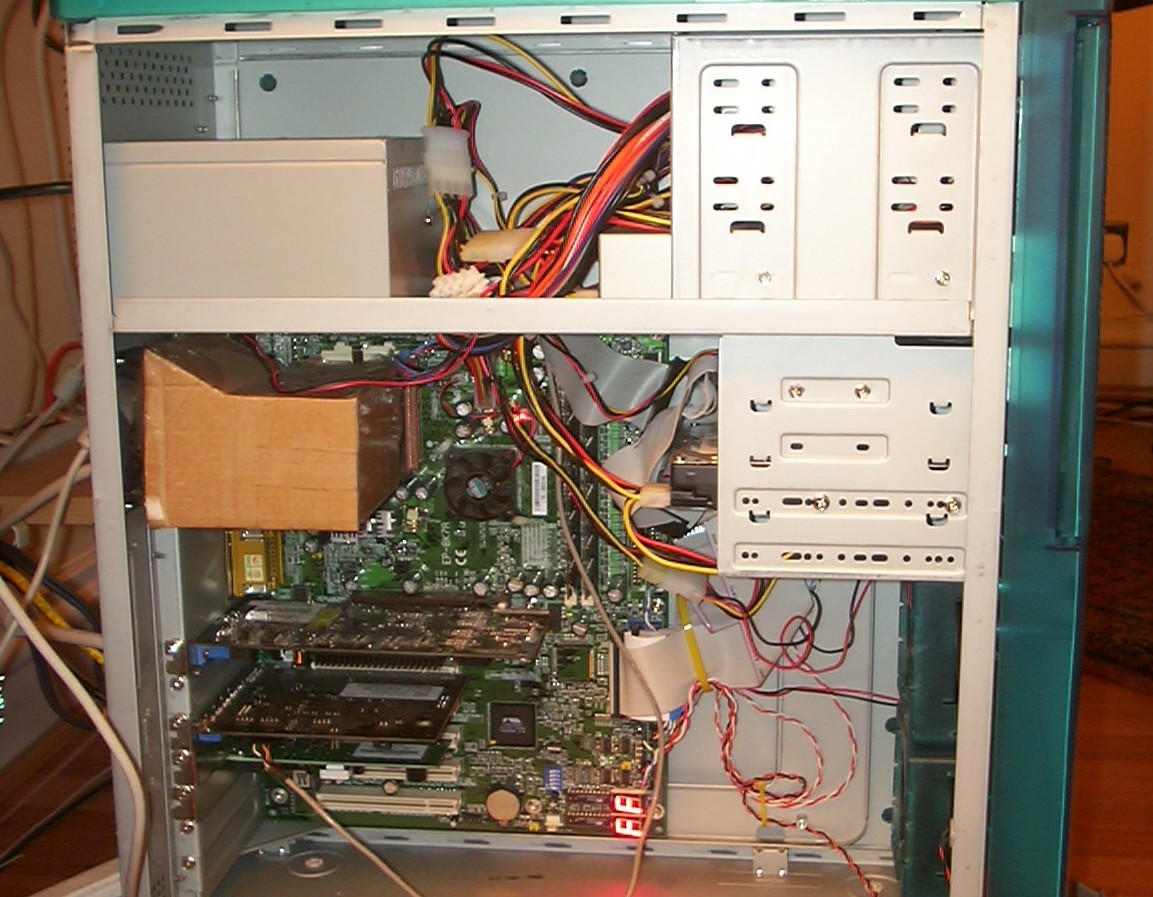
The case had been used for a few months before the modding started. The duct connecting the SK-6 HSF to the rear is made out of cardboard and tape. Very ghetto but managed to keep the original AMD Thunderbird 1.4 cool enough to do 1.65GHz. The draw back was a 7krpm Delta fan that was pulling nearly 8krpm thanks to the case fan sucking air as well. It was due to all this noise I decided to add watercooling.
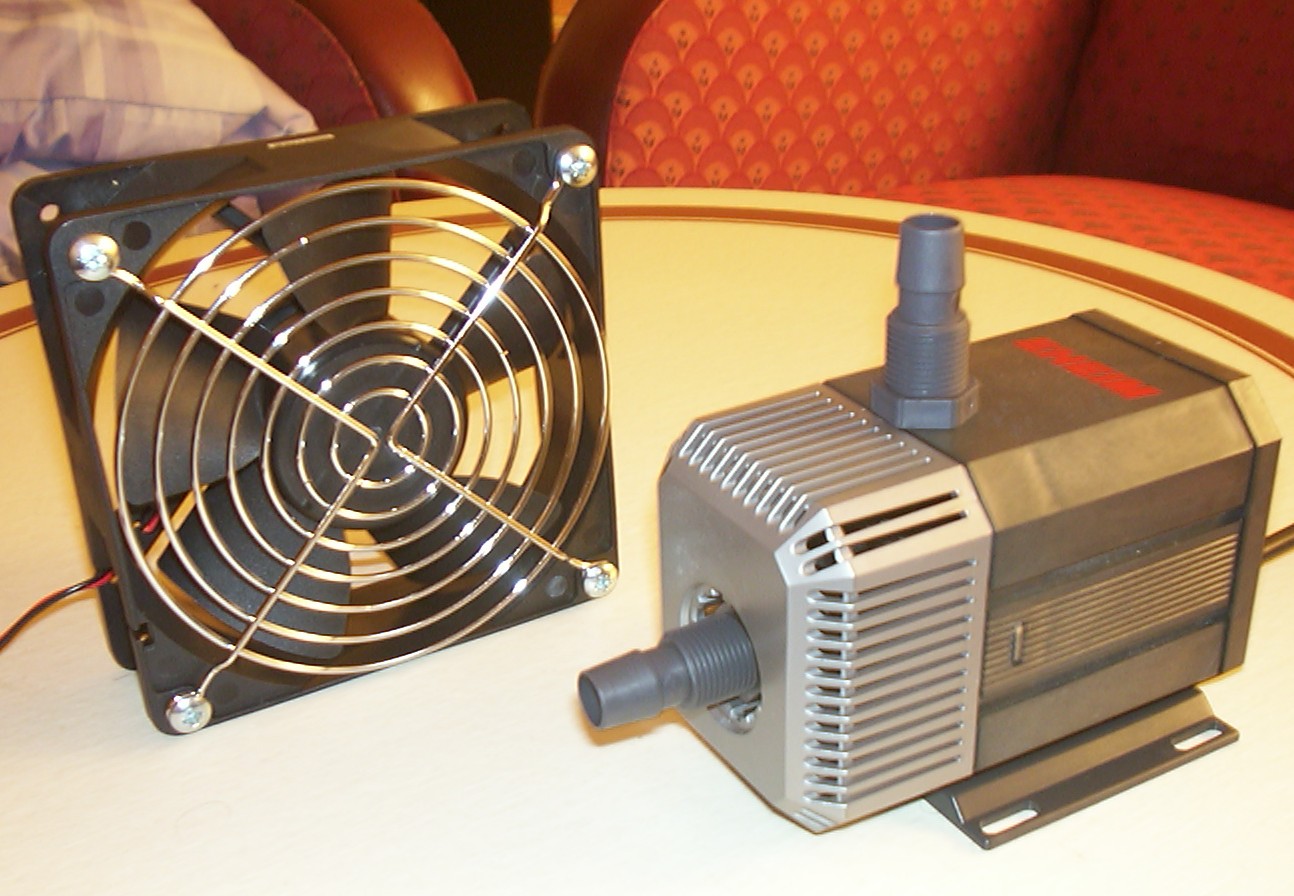
First out was the investment of an Eheim 1048 pump and an YSTech 120mm fan. The pump came from an aquarium shop and the girl behind the counter stared at me in horror when I mentioned it would be used in a computer.
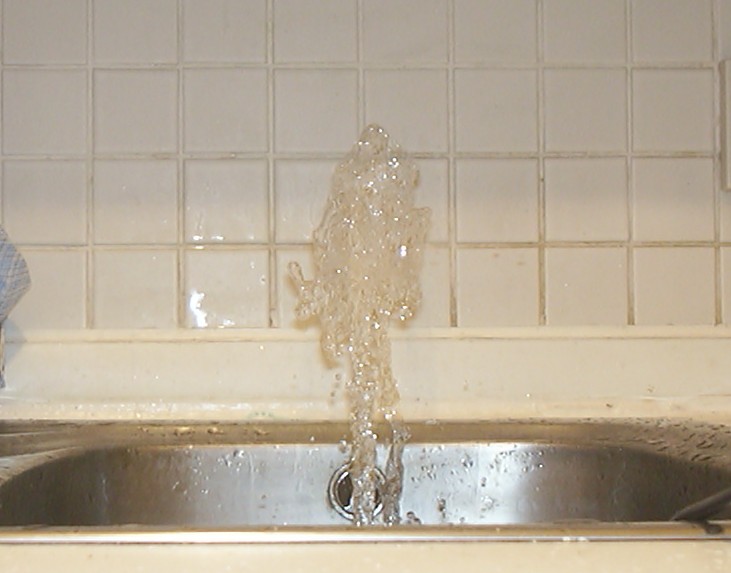
Well to know what I was dealing with the pump was placed in the kitchen sink at first opportunity and powered on. Indoor fountains are great fun until you have to spend 20 minutes cleaning up all water.
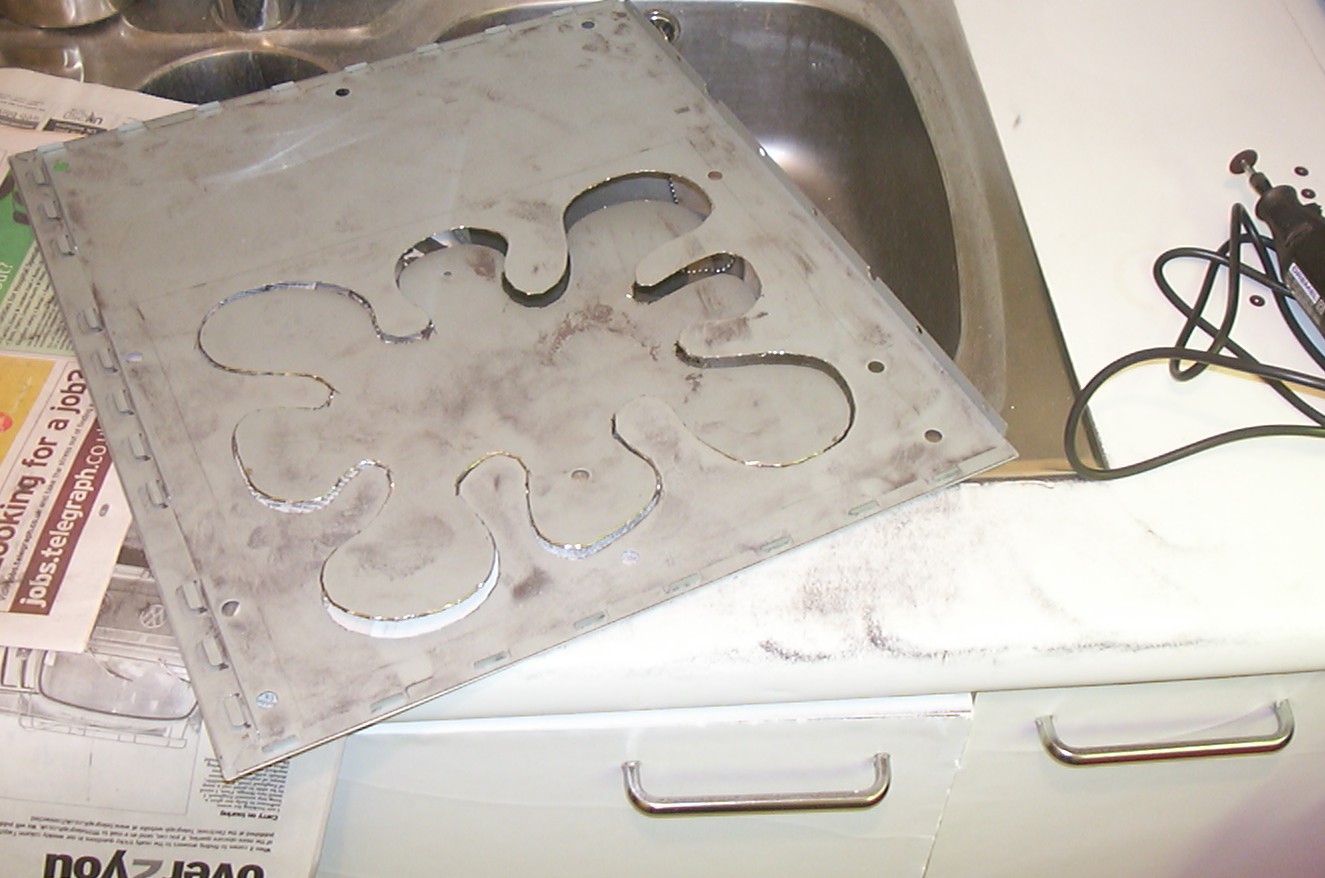
In the beginning the project was named Enduring Splash, and with that theme in mind the window was shaped accordingly. The panels was a pain to cut with the newly invested Dremel, on the inside you have 1mm of steel, then 2mm air gap and finally 3mm of ABS plastic. Many cutting wheels later the steel portion was cut.
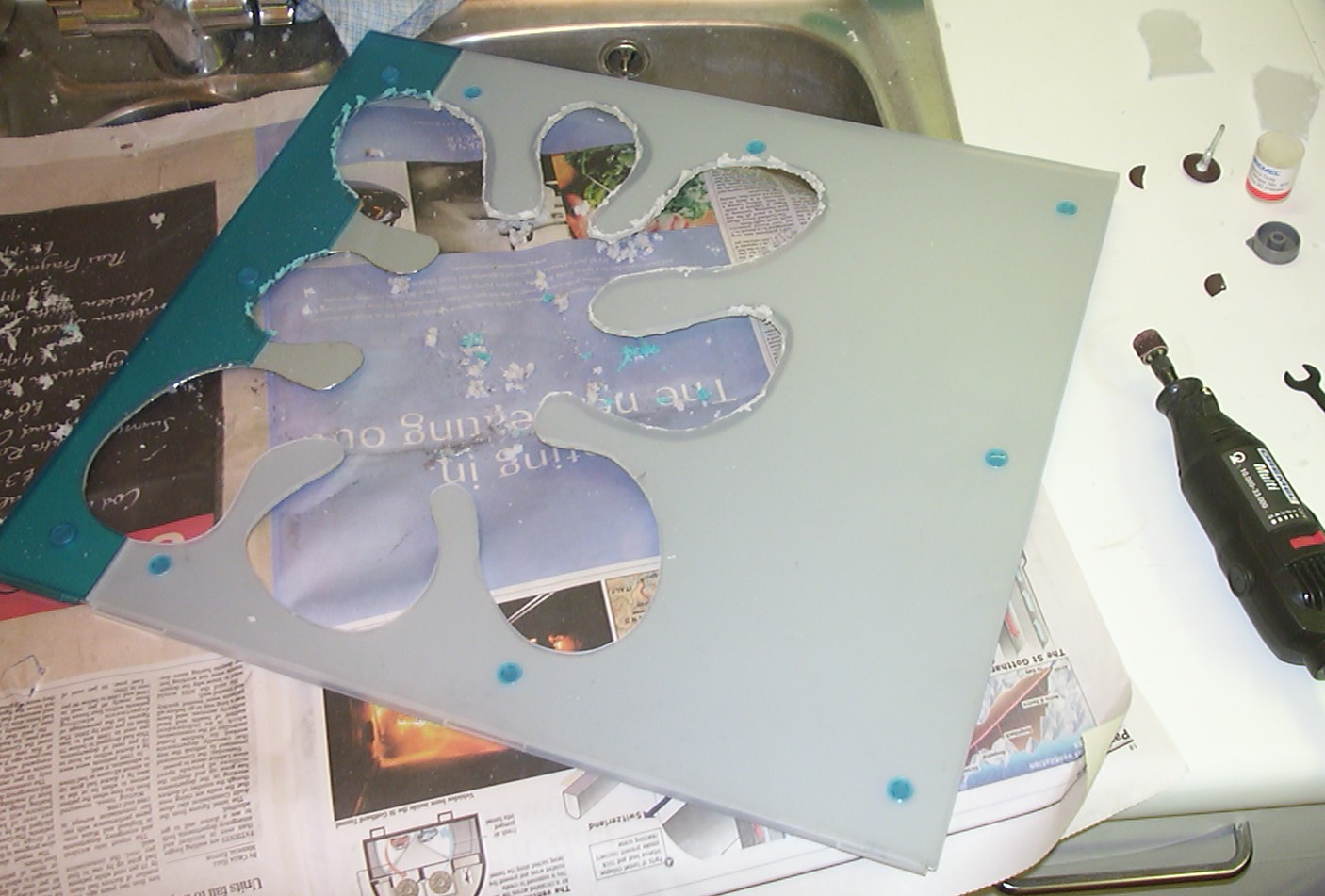
Next was to hack away as much plastic as possible without getting stuck in the molten mess. The result of that can be seen at the top of the picture. The final touch was done by having the panel assembled and run the Dremel using the sanding drums along the steel edge.
Part 3
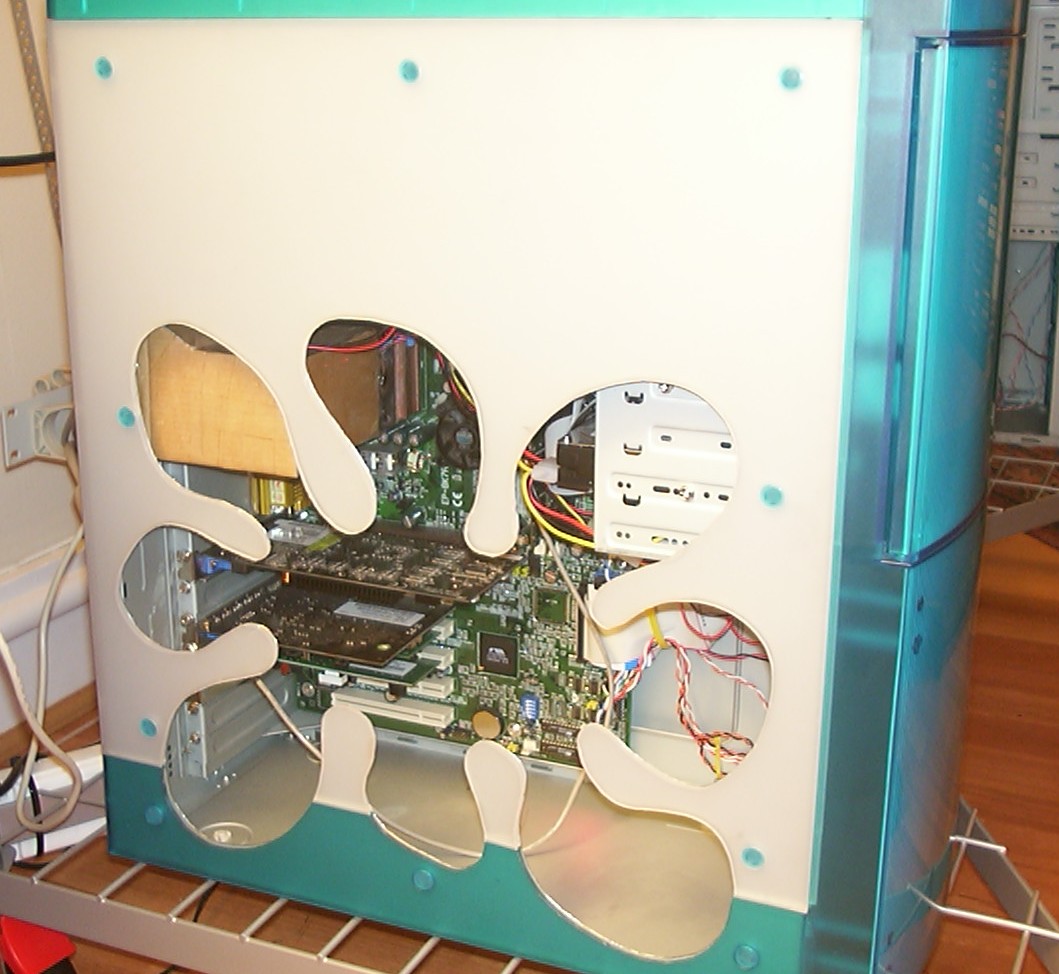
A little test fit of the side panel to see how it turned out. The acrylic window is still not installed.
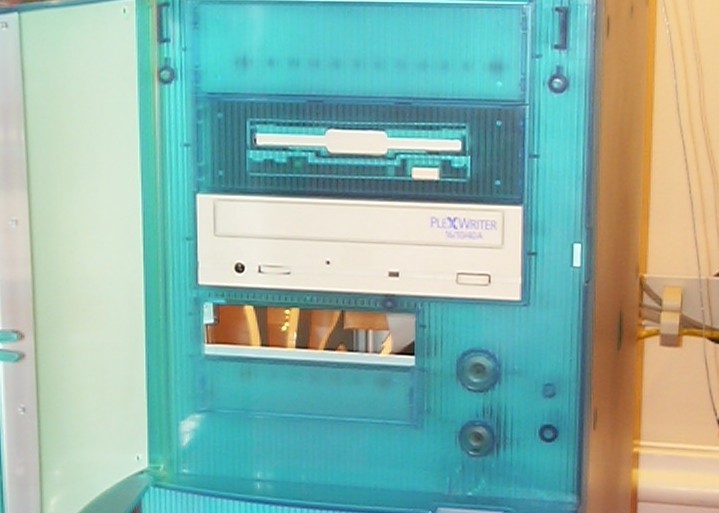
Next on the list was to move the floppy drive to a 5.25" bay and get rid of the beige look. A modified blank faceplate and a few 5.25" to 3.5" spacers later and this was the new look.
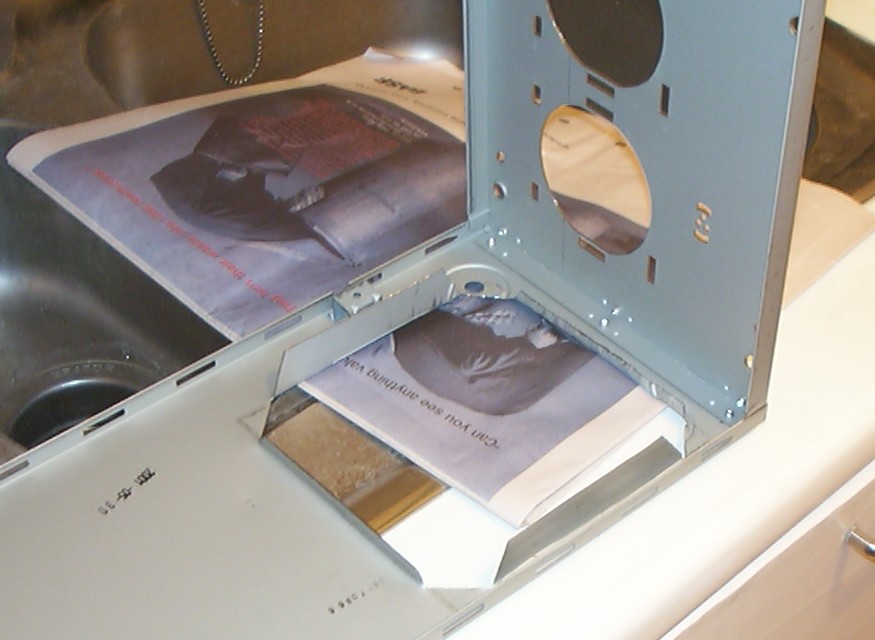
The hole for the radiator was cut so it would hold the radiator in place with minimum effort and obstruction to the airflow.
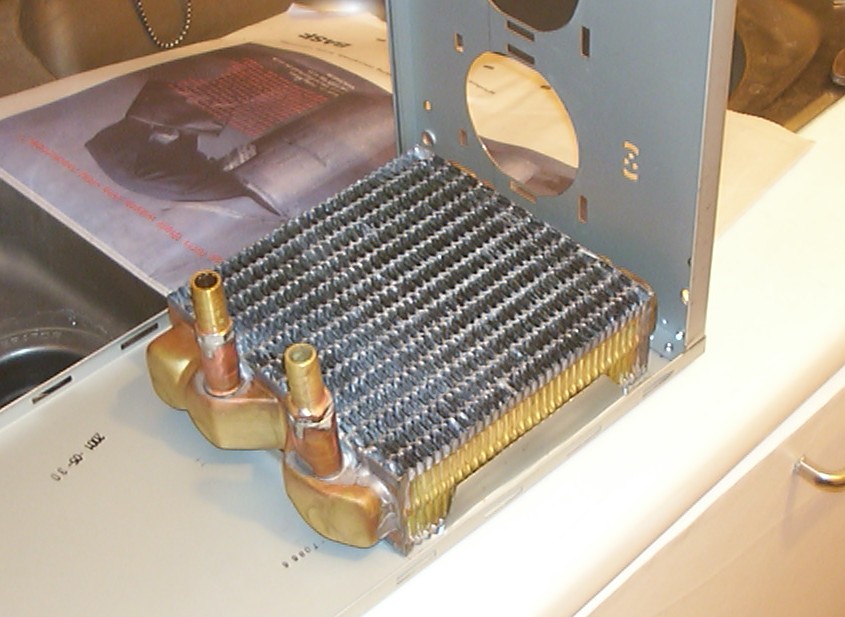
The different options regarding radiators on the market was heatercores, heatercores and more heatercores. This one was from Danger Den and fitted with 1/2" barbs. Oh it did fit perfectly in the mounting hole as well.
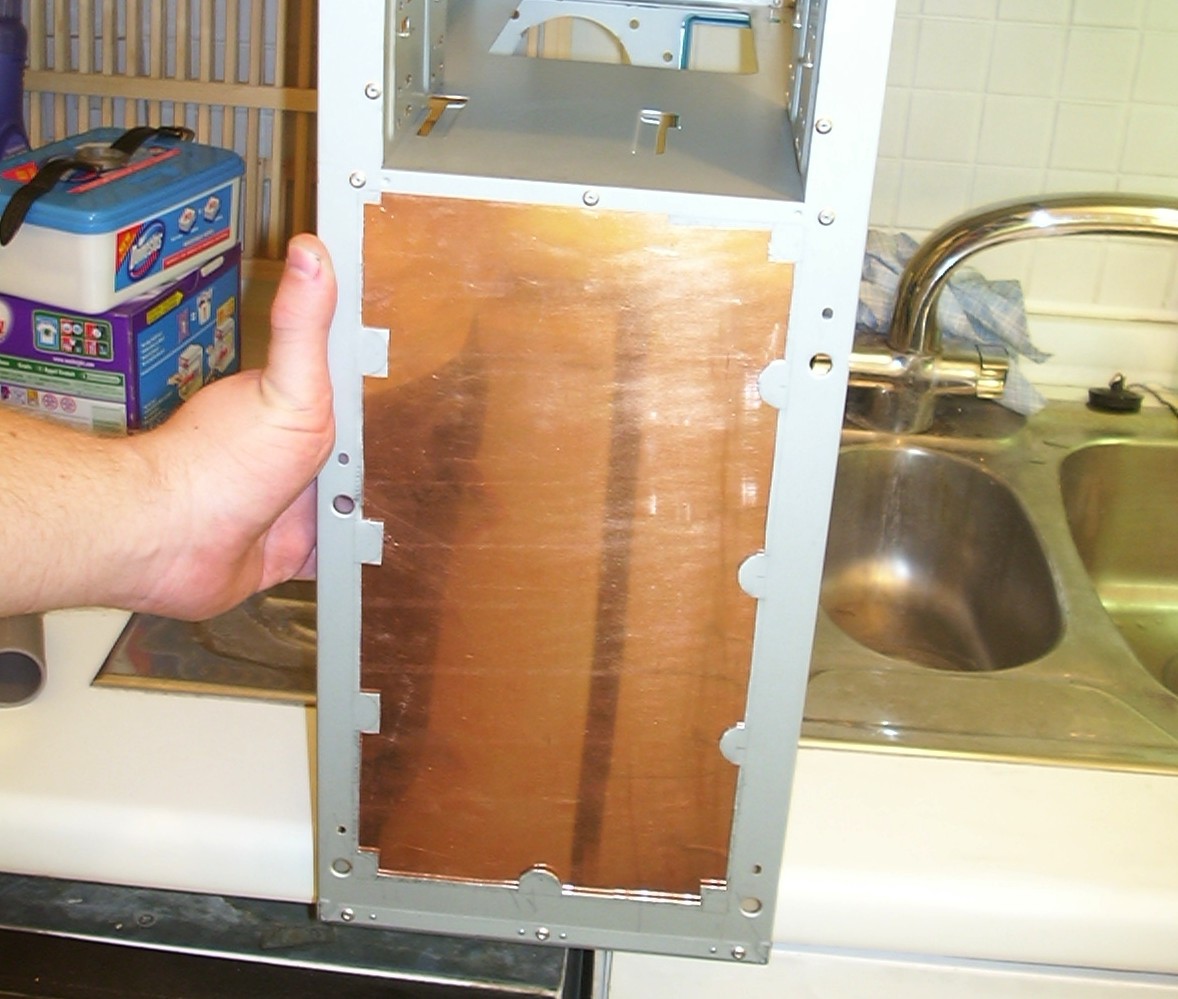
The front panel as you could see in the previous picture looked like a swiss cheese so it had to go. Instead space was made for a 1mm thick copper sheet to be installed.
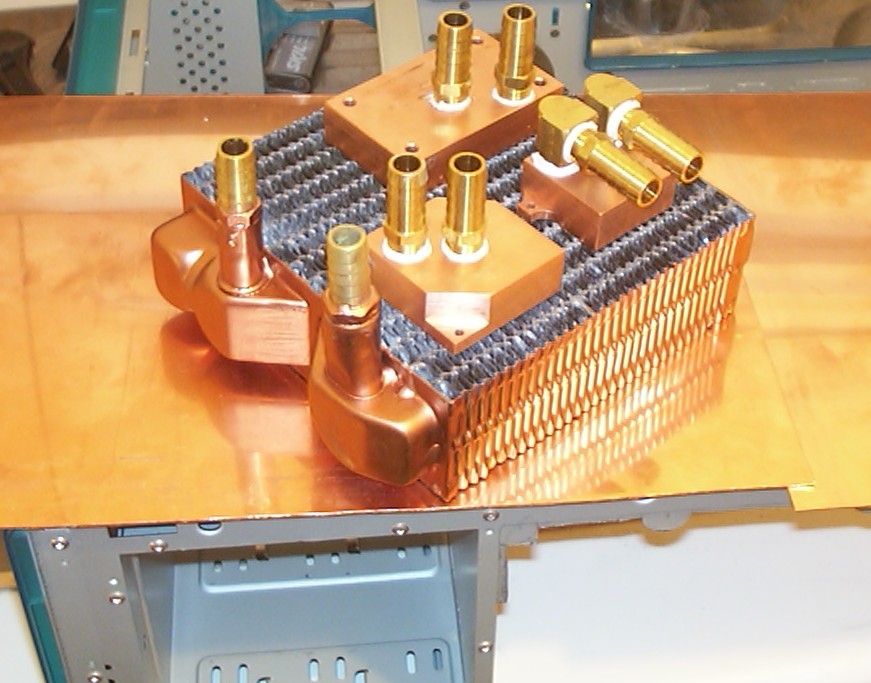
Copper is a very pretty colour so here is a group shot with the water setup in it’s full glory. The radiator got some copper paint added to fit in the theme. The blocks are Danger Den Maze-2, GPU and chipset block, all with 1/2" barbs.
Part 4
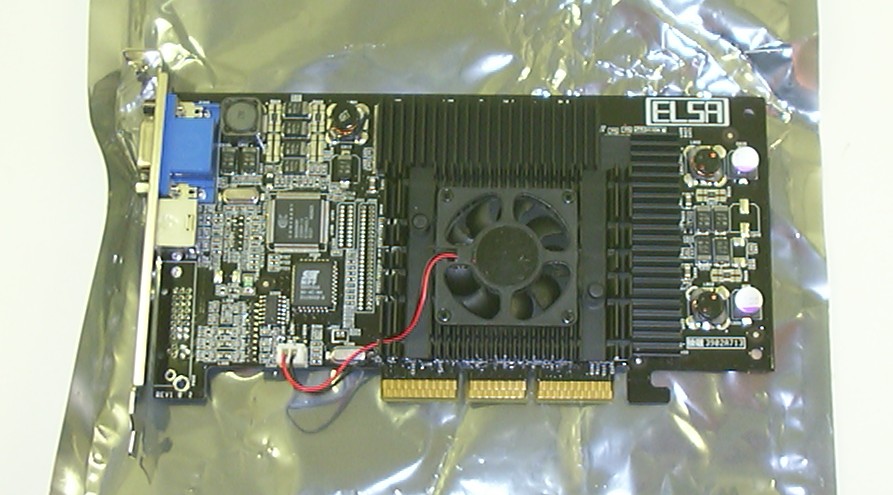
Here we have an Elsa Gladiac 920 or commonly known a GeForce 3 card. Not a bad card at all considering the previous videocards I used was Voodoo2 SLI.
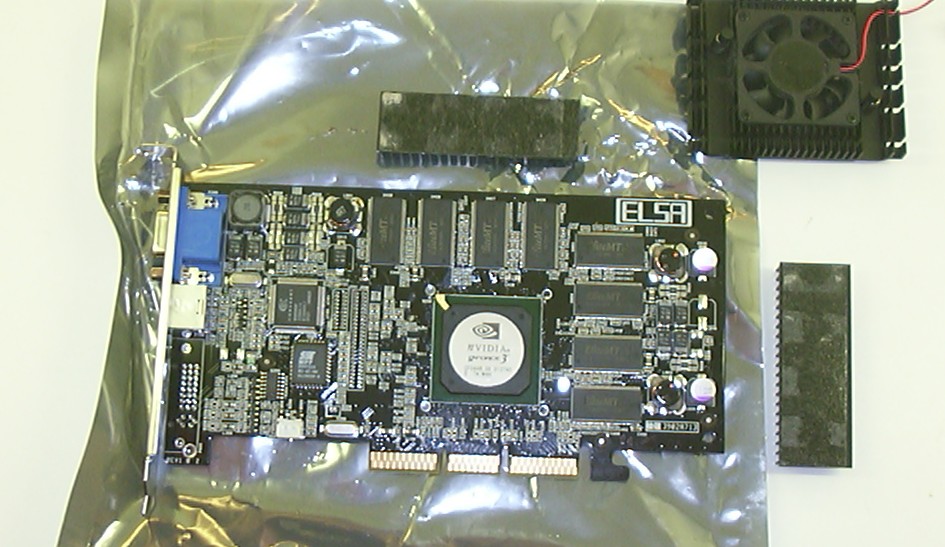
To make way for the watercooling the heatsinks were removed.
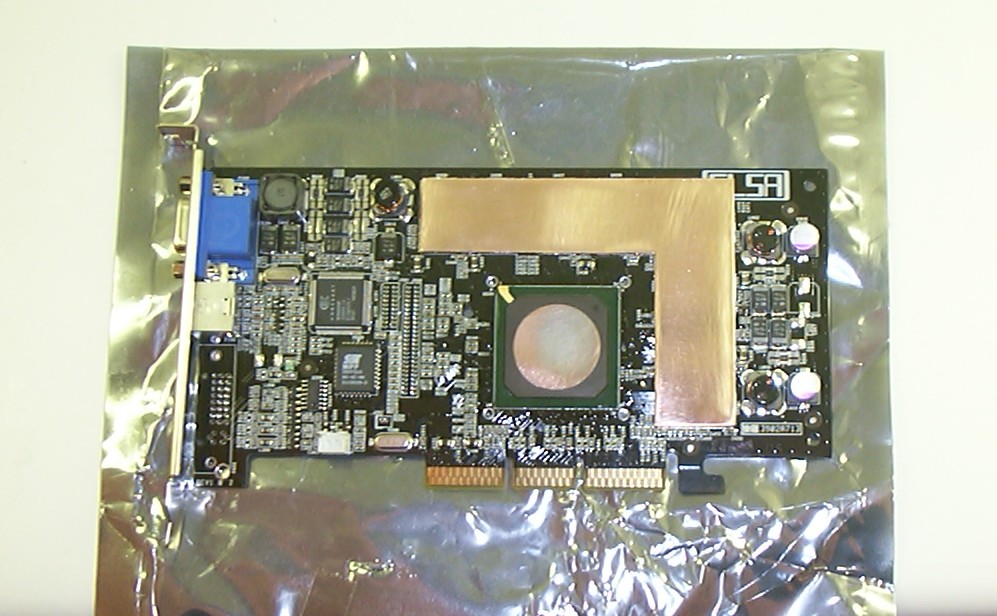
With the RAM being in need of cooling a heat spreader was needed to get most out of the watercooling. An L-shaped piece of 1mm copper was glued in place with Arctic Silver Epoxy. Then a fair bit of lapping followed to get it even with the GPU.
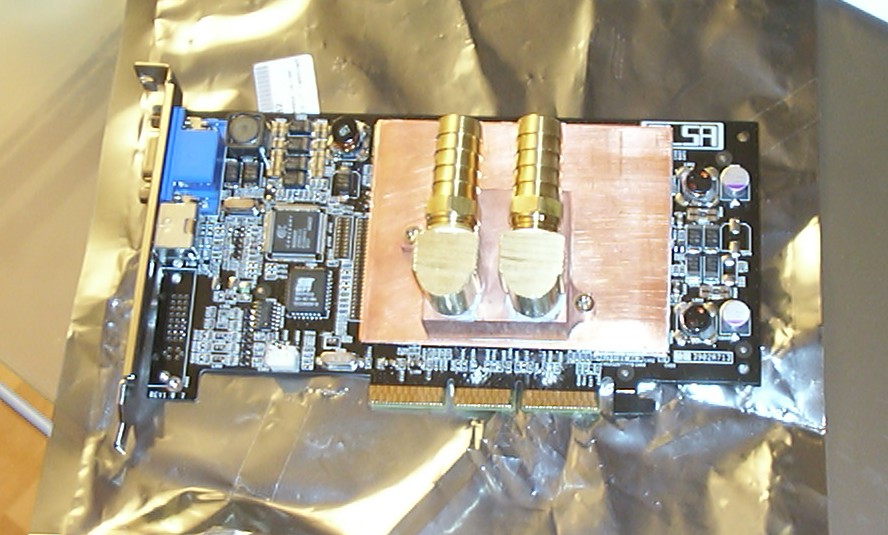
One more piece of copper was glued in place before the GPU block was screwed in place. How efficient this solution really was I don’t know but it has never overheated.
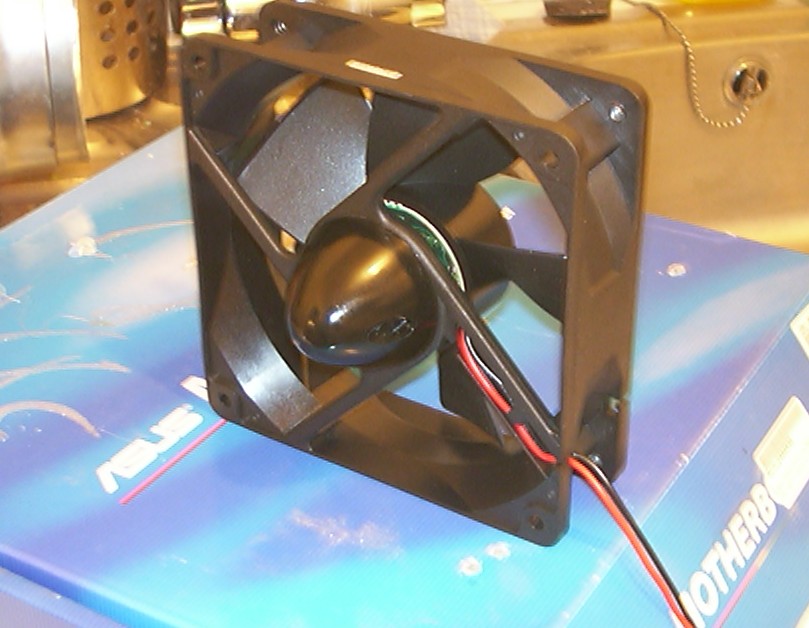
Next out to mod was the YSTech fan. A spinner from an R/C plane was attached to the non rotating side. Which in hindsight really should have been done after the next step…
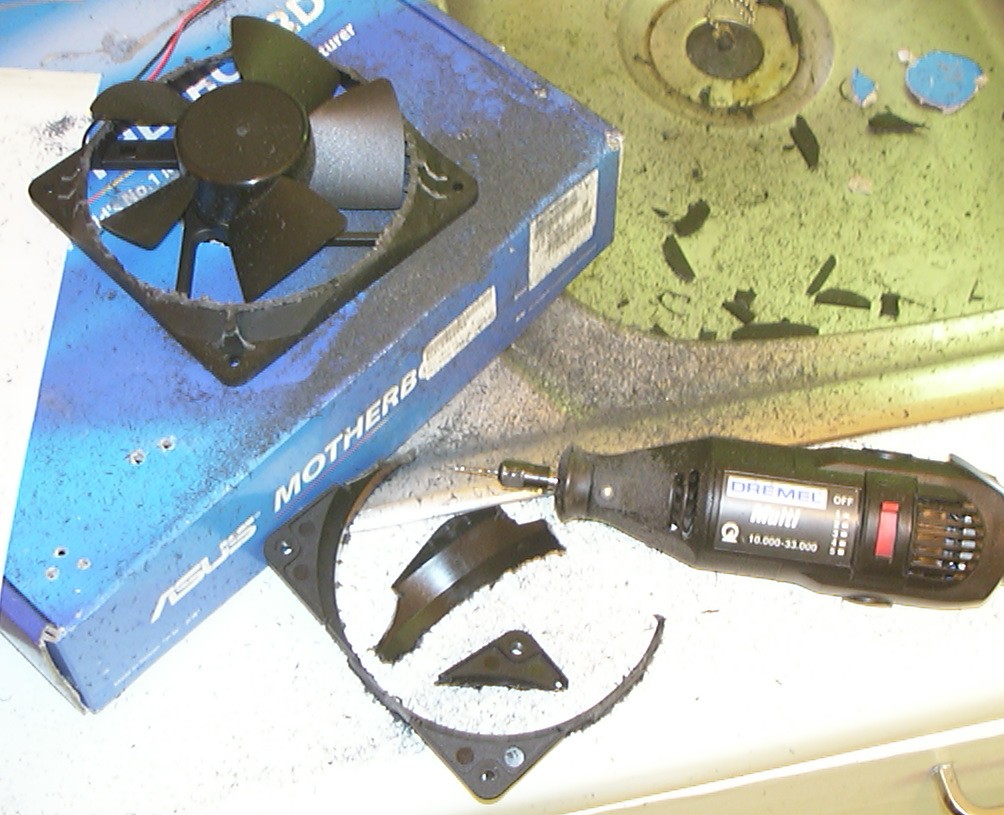
And that was to make the fan a lot smaller. The Dremel got to see a lot of action during this mod for cutting and carving. With the spinner in place it had to sit on a box with a suitable hole to not wobble around all over the place.
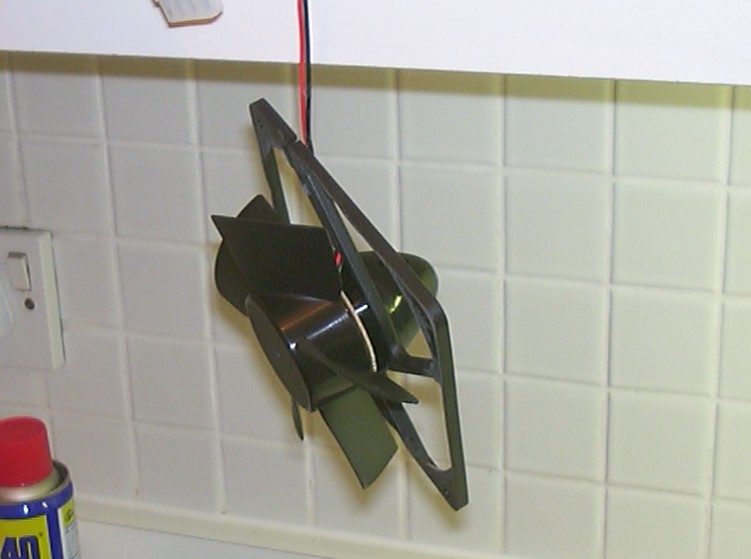
With carving done this was what was left of the fan.
Part 5
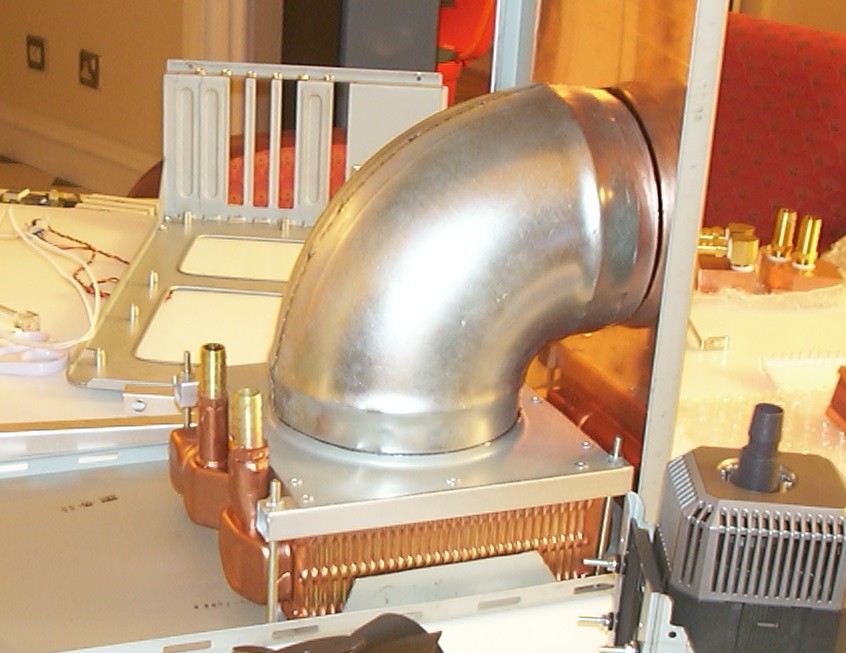
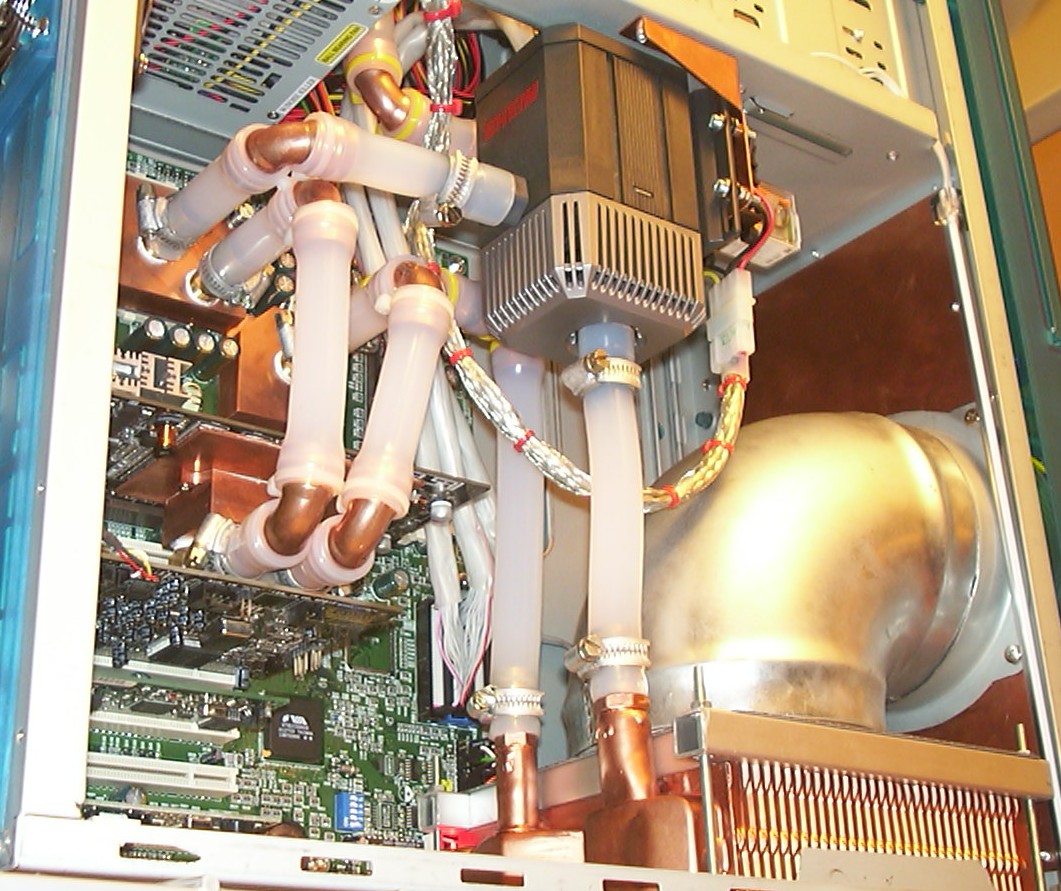
The second half of the mounting mechanism for the heatercore was completed. Simply some square aluminium profiles riveted to ventilation duct termination and held in place by four screws going through the bottom of the case. On top of that is one of the main features of this mod, a 5" ventilation duct bend.
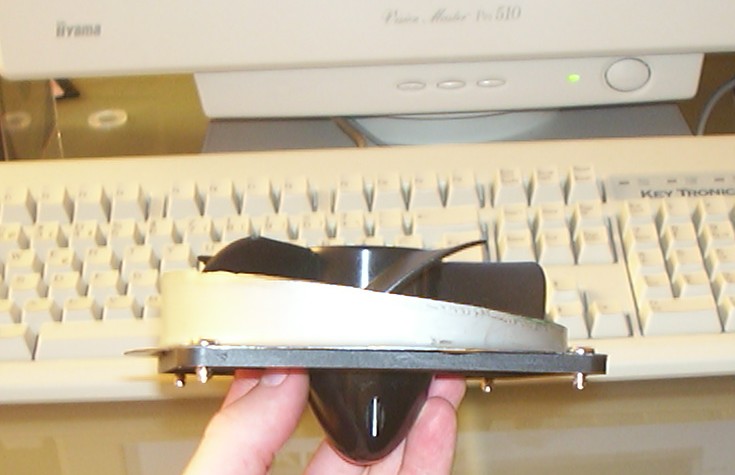
The duct couldn’t face the copper panel at a straight angle due to the shape of the front beezel. The solution was this this strange piece made out of another duct termination. You can now see why the fan got reshaped.
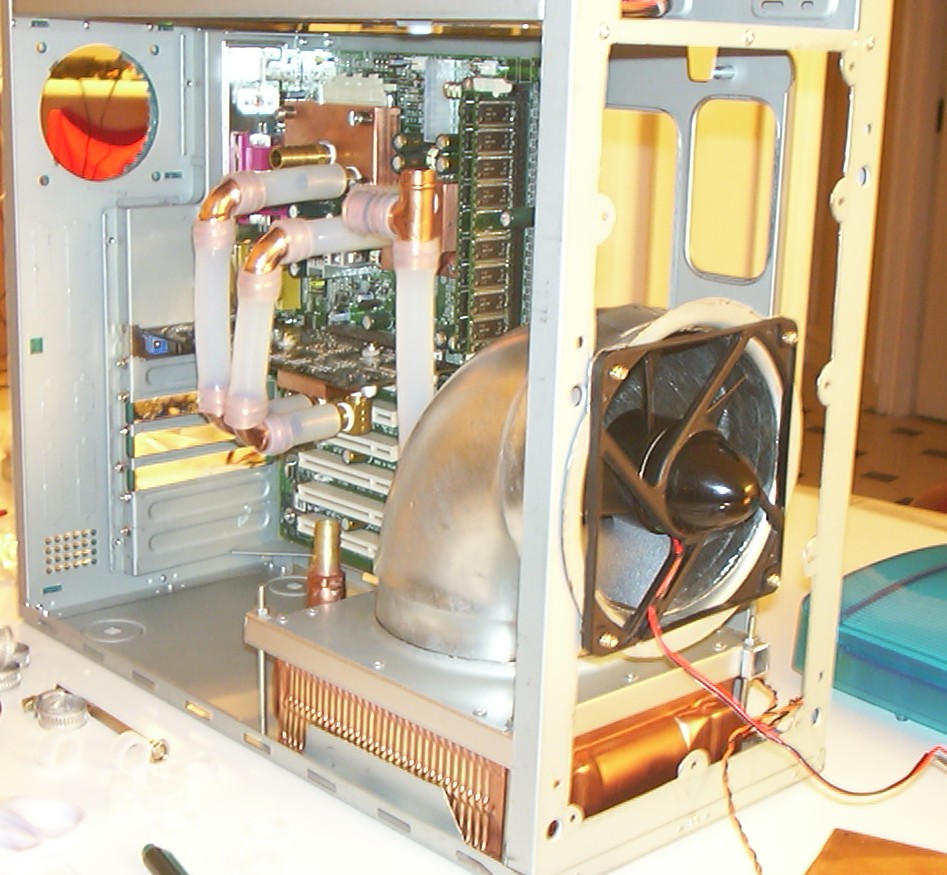
Another testified of the completed duct to measure where the hole should be cut in the copper panel. Also the assembly of the waterloop has started. Due to the silicone tubing refusing to bend nicely soft copper bends were used all over for a tight fit. The T connector is for the filler tube.
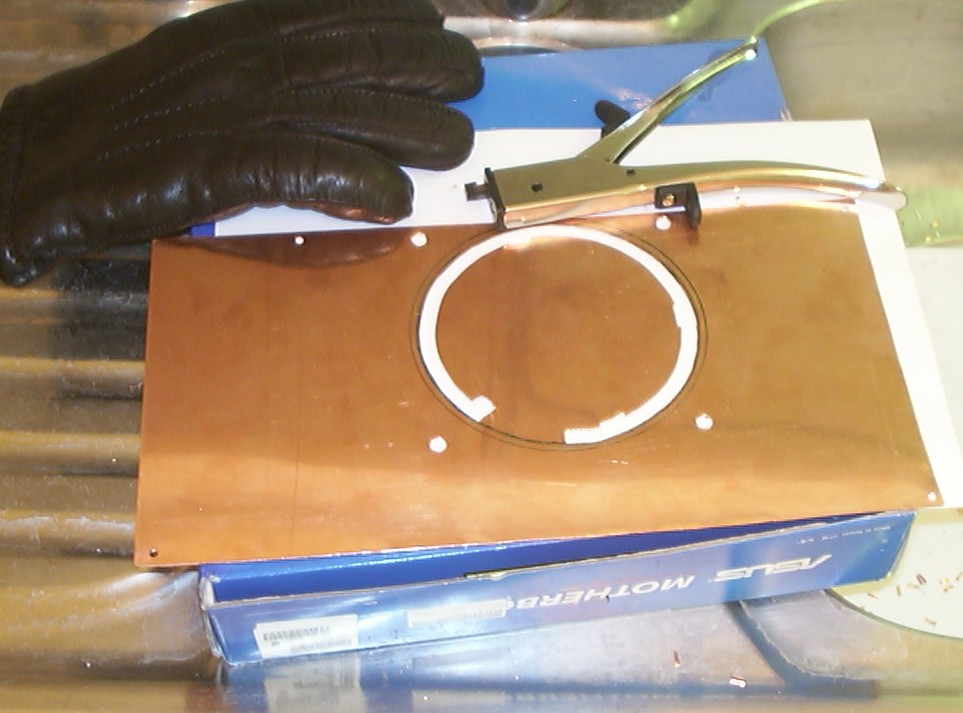
The hole in the copper plate cut with the best modding tool ever, a hand nibbler. It is hard to beat the accuracy of the cut not to mention Dremels truly suck in copper. As long as you use a glove you will get away without blisters.
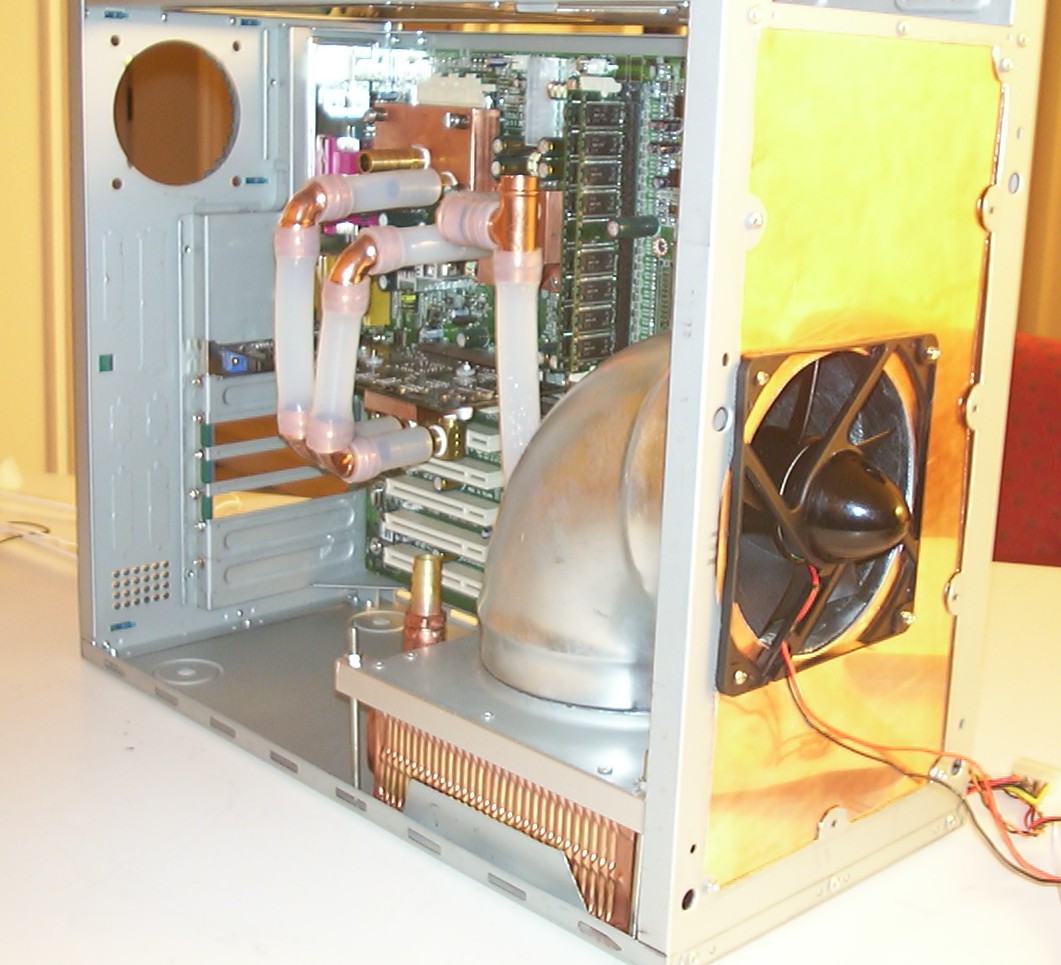
The copper plate was put in place to verify all measurements and cuts actually ended up as planned.
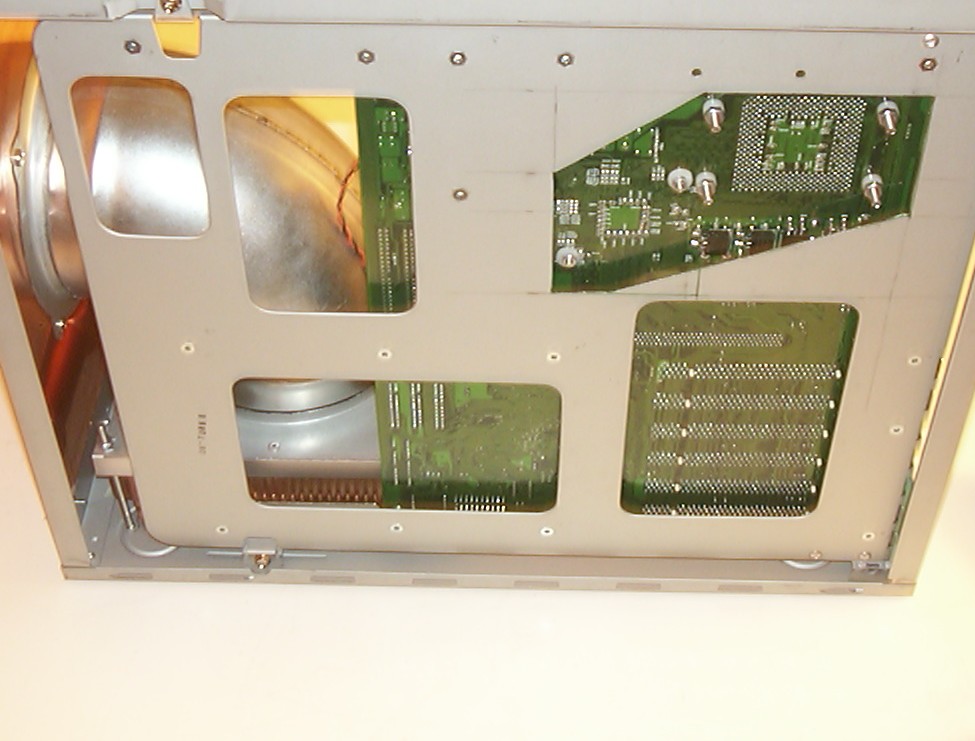
The motherboard tray was modified to gain access to the screws holding the waterblocks without removing the whole motherboard in the process.
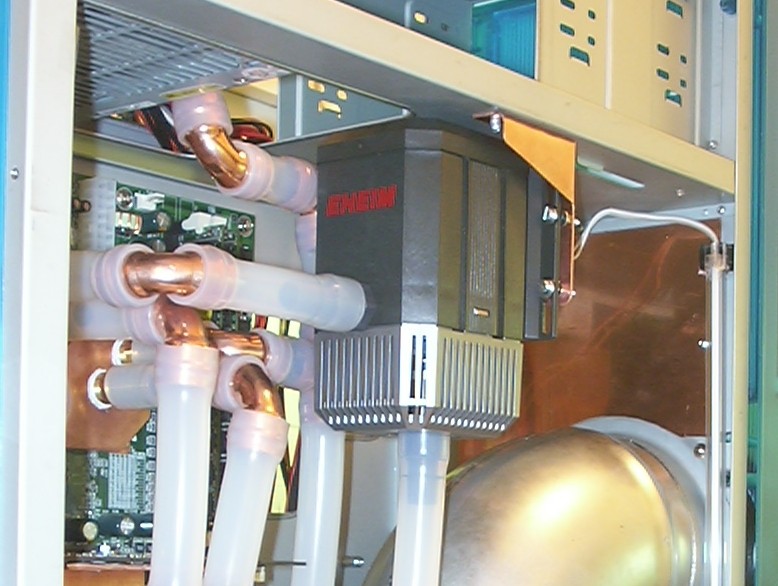
To keep the waterloop compact the pump was mounted hanging at the top in a custom made copper bracket. To initially fill the system with water was an interesting experience. After the whole loop was filled it has been working like a charm for nearly four years.
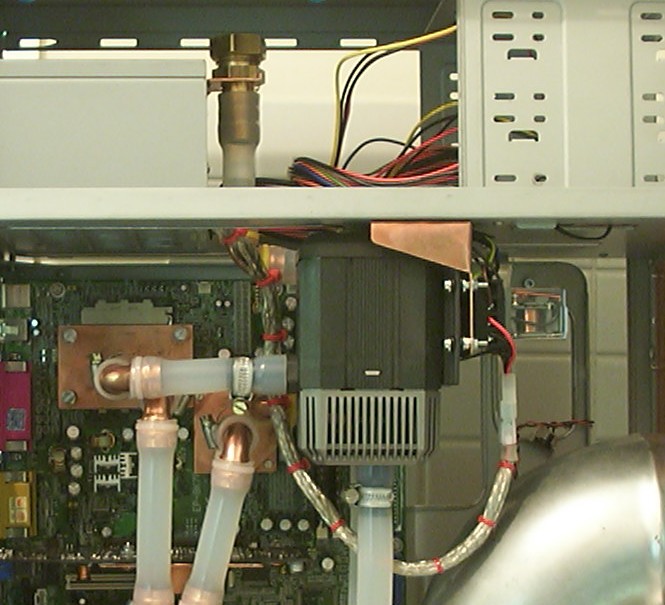
The filler cap at the top is normally resting in the fork shaped holding device as seen here. When topping up the system it can be unhooked and bent to the side to permit filling outside the case. To the right of the pump is a small 12V relay controlling the 220V pump so it only runs when the computer is on.
Part 6
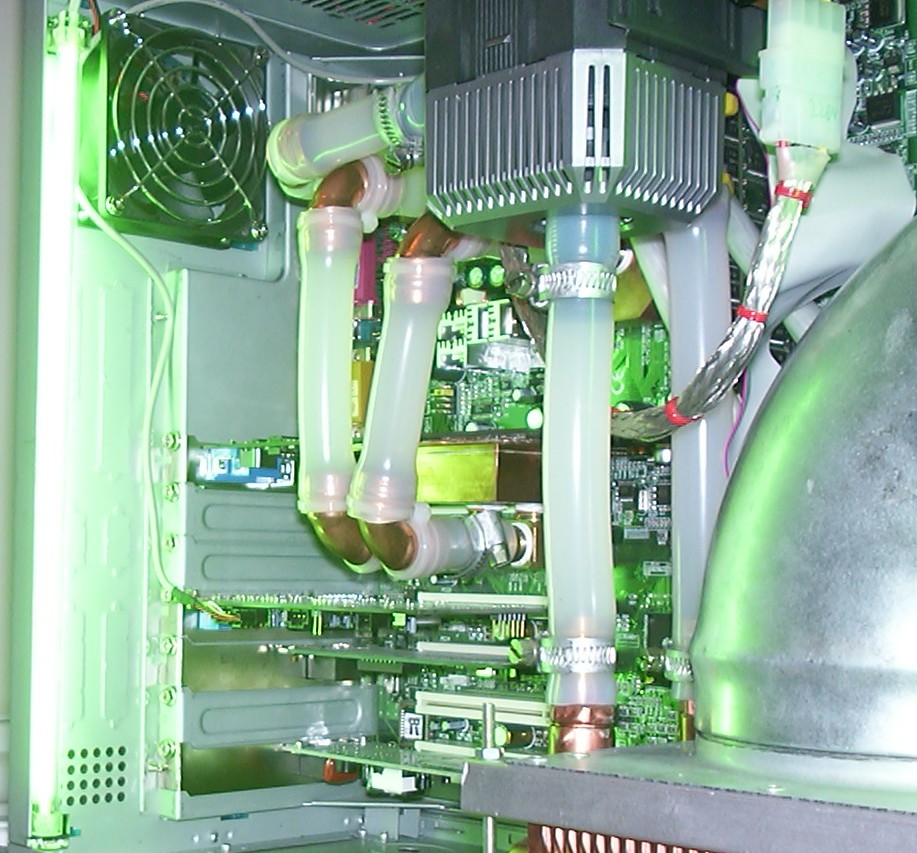
With the waterloop done it was time to do the light. Two 12" green CCFLs were installed. One at the rear…
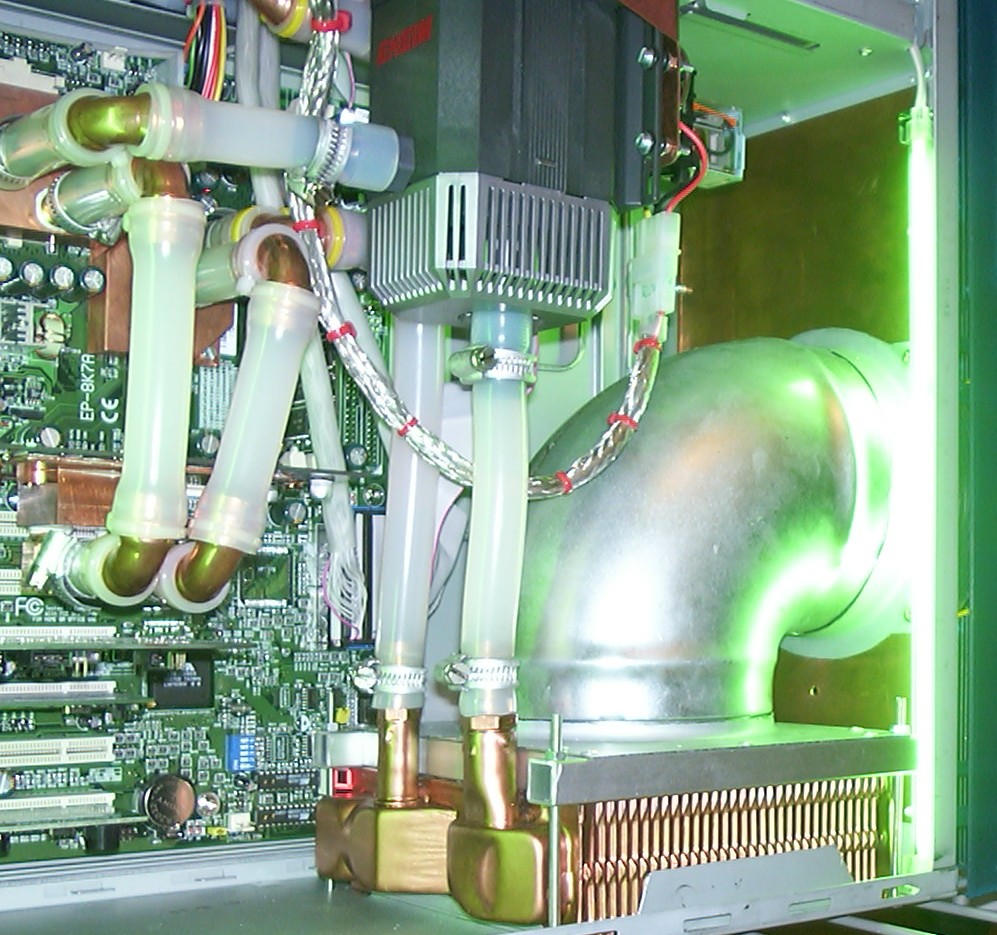
…and one at the front. They are placed so they only produce indirect light.
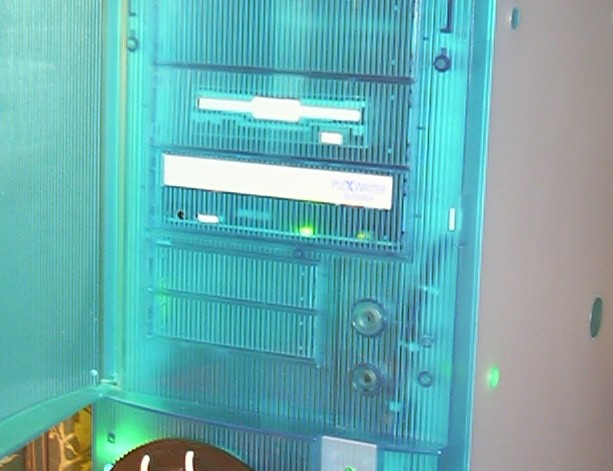
The CD burner did get the same treatment as the floppy drive by converting one more blank bay cover to be a faceplate.
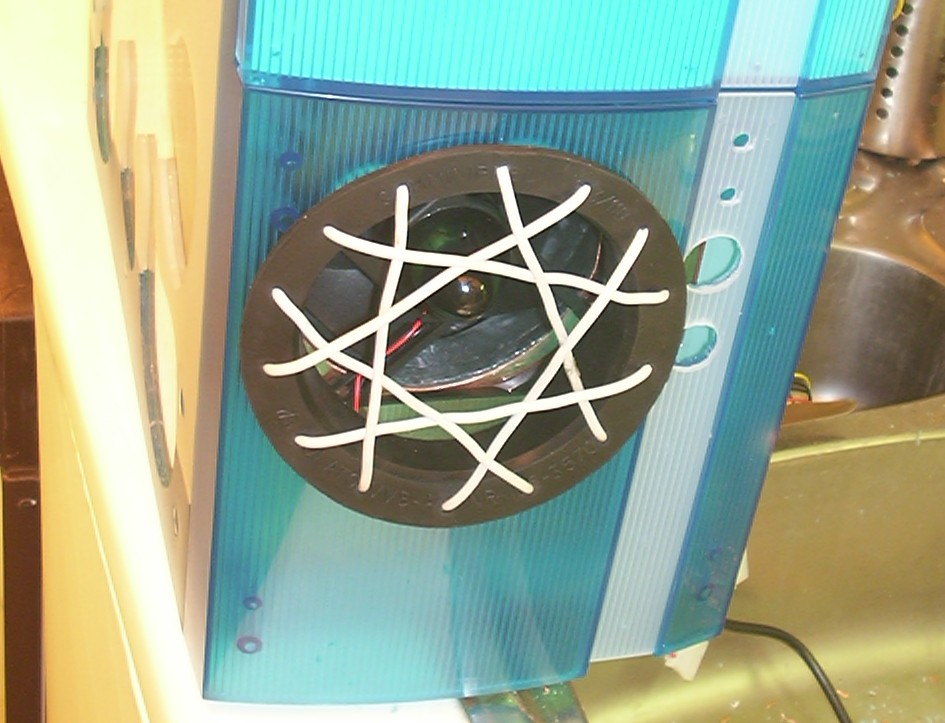
The duct continues through the front beezel as well and terminates with a big rubber ring. To hopefully prevent people from putting their fingers in the fan a fan grill was made out of electrical wire as a proof of concept.
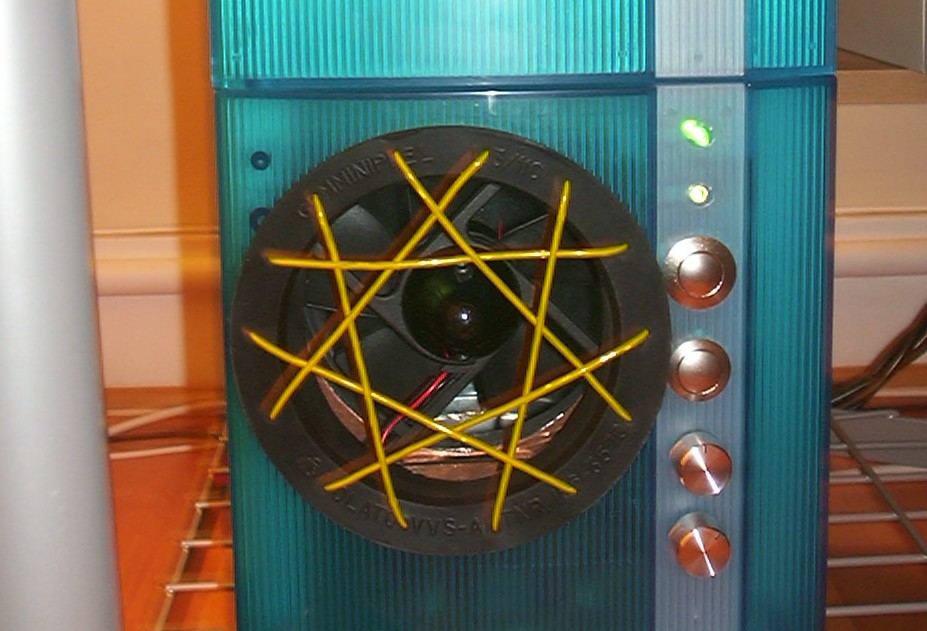
As soon as the grill was considered working the electrical wire was replaced with yellow EL-wire. It is all just one string going back and forwards to cover the whole fan.
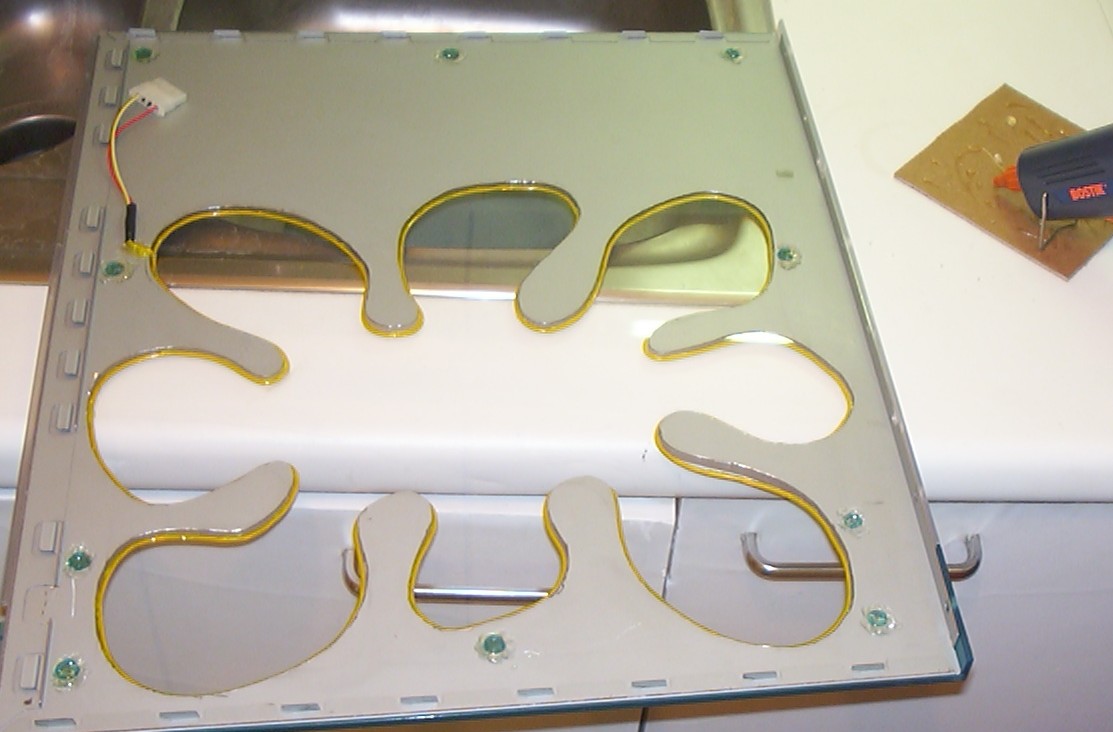
The acrylic window was installed in the empty space between the plastic and the steel. Then more EL-wire was mounted around the edge of the window using melt glue. Melt glue should be avoided since it will (and did) lose it’s grip fairly soon after. Cyanoacrylate is now holding the EL-wire in place.
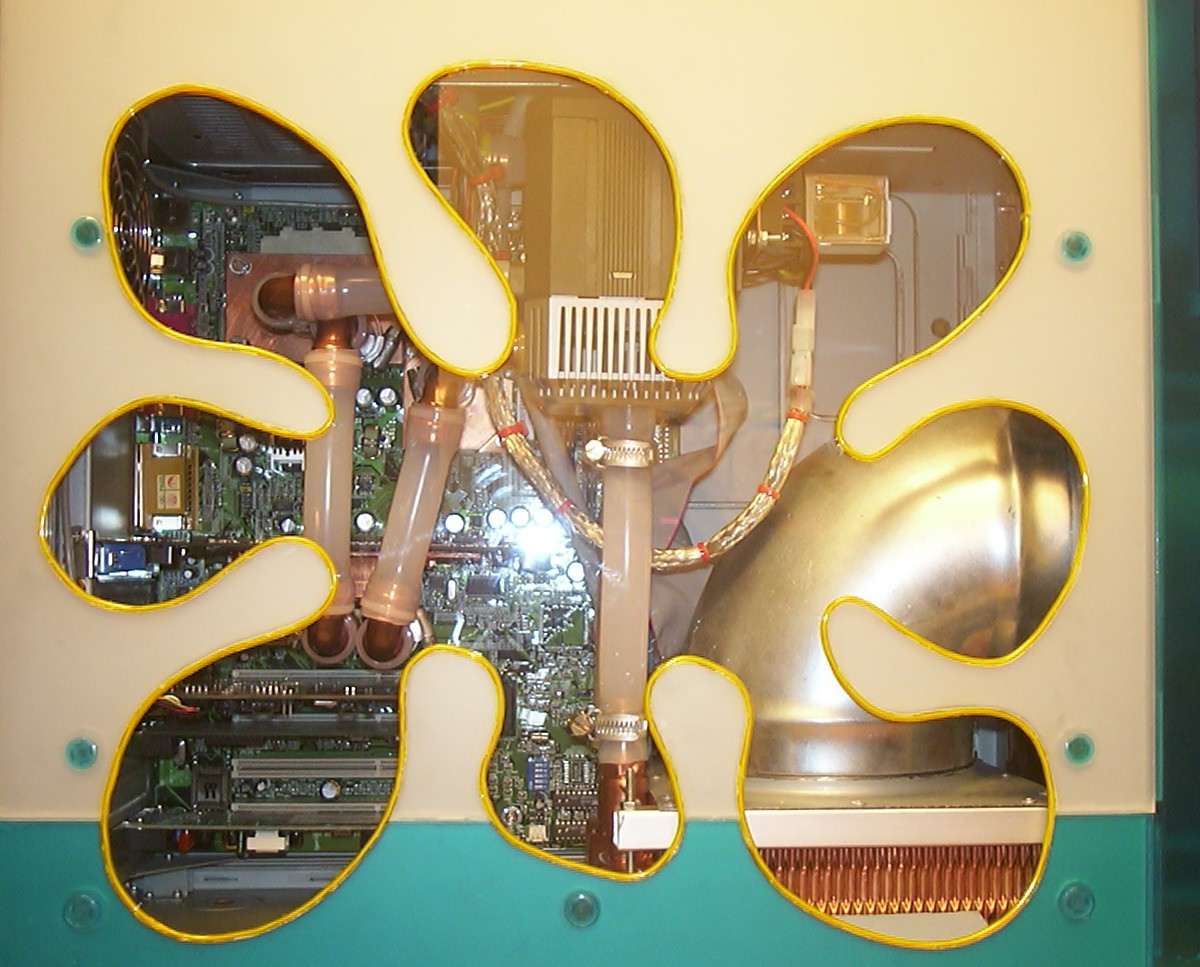
Window done, inside done.
Part 7
Project Syrinix is done!
All lights on including the camera flash.
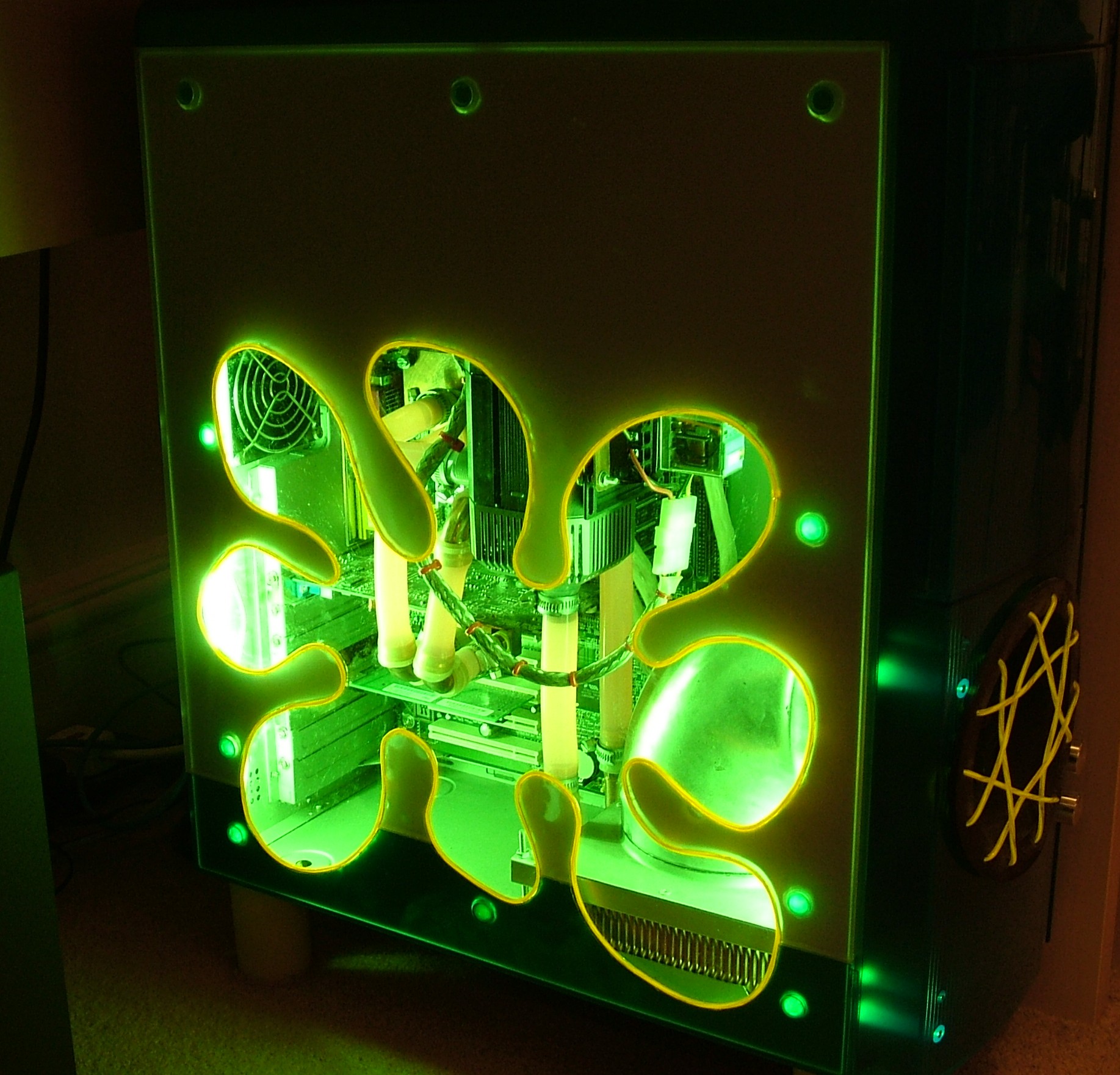
This is how the case looks today when it is serving as my linux server. The original worklog online is since long gone so this was all written from memory.
Until next time, have fun.